
4 min read
No Longer Optional: Media Accessibility, What the Law Requires, and How to Manage it at Scale
 Cas Alderman
:
Aug 20, 2026, 7:23:14 PM
Cas Alderman
:
Aug 20, 2026, 7:23:14 PM
In April 2026, four days before the first ADA Title II compliance deadline, the U.S. Department of Justice granted state and local governments a one-year extension. Large public entities, including nearly every public university in the country, now have until April 26, 2027 to bring their digital content into conformance with WCAG 2.1 Level AA. Smaller entities have until April 2028.
While extending the deadline, the DOJ was clear that the requirements haven't changed and that it "fully anticipates implementing the regulation at the new deadline." The reason the extension was given is probably the same reason you're reading this article: the Department cited compliance resource constraints and the limits of current technology to remediate accessibility at scale. In other words, the deadline moved because organizations weren't going to make it in time, and many are still scrambling.
The extra year is for fixing! And for teams responsible for large libraries of media (video, images, documents), fixing is a much bigger job than most organizations realize.
What "media accessibility" actually means
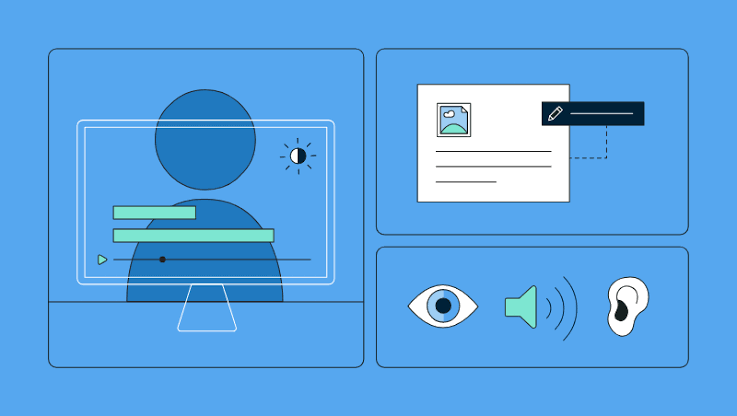
Web accessibility is primarily tied to websites and apps, and covers thing like navigation, screen reader compatibility, keyboard access. But the regulations go beyond your company's React app. For most organizations the content represents the bulk of the volume: thousands of videos, PDFs, and images, produced by different teams under different circumstances. Accessibility means something specific for each format.
Video. Accessible video requires accurate synchronized captions. (Not only must they be present, they also correctly must convey the dialogue and meaningful sound.) It means there are audio description for visual information that matters to comprehension, as well as transcripts. And the content must be safe: WCAG's flash thresholds exist because content that flashes more than three times per second can trigger seizures in photosensitive viewers. Loudness consistency matters too, and audio that fluctuates too much is an issue for viewers using assistive listening technology.
Images. Graphics with embedded text need to meet contrast requirements: 4.5:1 for normal text, 3:1 for large text. There are alt-text requirements, prohibitions on text-as-image, and more.
PDFs. PDFs are the asset type that fails accessibility audits most often. An accessible PDF needs a proper tag structure and reading order so screen readers can navigate it, sufficient color contrast, legible typography, alt text on figures, and labeled form fields. A PDF that looks fine to the naked eye can be incompatible with assistive technology if it was exported with incorrect settings or rendered as an image on the page.
Audio. Podcasts and audio content need transcripts. Simple but often missed!
The legal landscape in five sentences
The good news about the regulatory landscape is that it converges on a single technical standard. WCAG 2.1 Level AA is the benchmark that nearly every law points to. The ADA Title II rule binds U.S. state and local governments and public universities, with the 2027/2028 deadlines above. Section 508 has long required WCAG conformance for federal agencies and anyone selling into them, and the European Accessibility Act, in force since June 2025, extends similar requirements to products and services sold in the EU. Healthcare organizations receiving federal funding face parallel requirements under an HHS rule.
The consistency is a good thing! If you're interested in applying automation to ensure media accessibility, the right approach is to focus on the standards consistent across frameworks.
The challenges for teams and organizations
If accessibility were just a matter of going through a checklist, the deadline would have stayed put. But operationalizing Media Accessibility across a library of legacy content, and new content produced daily, is the tough part.
The first problem is new content. Content teams produce constantly, making training videos, marketing assets, course materials, policy documents. Accessibility is typically checked at the end of production, but oftentimes it's missed entirely with no gate. Videos ship without captions verified, a PDF ships untagged, and the risk of an audit, a complaint, or lawsuit keeps going up.
The second problem is the existing library. Most organizations subject to these rules are sitting on years of accumulated media that predates any accessibility policy. Nobody knows the compliance status of the library because nobody has assessed it. Manual auditing at that scale is impractical: a thorough accessibility review of a single video can take longer than the video itself, and libraries run to thousands of assets. So teams spot-check which doesn't ensure compliance and leaves all the risk intact.
What good looks like
Organizations that handle this well share a common pattern: they stop treating accessibility as a periodic audit and start treating it as part of the content workflow, with a persistent record of where every asset stands.
That means, concretely:
Automated checks at the point of review. Many accessibility requirements are objectively measurable, which means they're automatable. A ton of the standards across frameworks can be checked by machine the moment an asset gets its first draft, and before you send to a human approver. This includes contrast ratios, caption presence and timing, flash-frequency safety, font and typography compliance, loudness levels, and blank or corrupted frames. Automation handles the deterministic checks to
Humans in the loop for what machines can't verify. Automation can verify captions are present and synchronized; caption accuracy still benefits from a human ear. A good workflow routes these judgment items to reviewers as explicit tasks rather than hoping someone notices.
A system of record for compliance state. This is the piece most organizations are missing entirely. At any moment, you should be able to answer: which assets in our library pass, which fail, what specifically is wrong with each one, and when was each last verified? When an auditor, or your own general counsel asks how compliant the library is, "we think mostly" is not a good answer. Being able to produce an audit report on-demand, for any set of media, demonstrates your due diligence in addition to helping you prioritize your compliance efforts.
Triage for the backlog. The existing library can't be remediated all at once, and it doesn't need to be. A bulk automated assessment establishes a baseline, showing which assets need attention and in what areas. From there the remediation effort can be prioritized: public-facing and high-traffic content first, content used in programs with legal mandates first.
Where to start
For teams staring down the 2027 deadline, or struggling to meet EAA obligations, it looks like this:
- Inventory. Assess the issue. Get a complete picture of the media library (video, PDF, image, audio) across systems.
- Baseline audit. Run automated checks across the full library to establish current compliance state. This turns an unknown-sized problem into a measured one, and can be done quickly, at low-cost.
- Fix forward. Put automated accessibility checks into the review-and-approval workflow for all new content, so the backlog stops growing. This is the cheapest compliance you'll ever buy. Catching issues in an audit can get ugly.
- Remediate by priority. Work the backlog in order of exposure, tracking each asset's state as it moves from failing to fixed to verified.
This is the workflow WipAI is built for: automated WCAG checks and audit reports on video, PDFs, and images inside Wipster's review and approval workflows. WipAI makes it easy to do bulk assessment of existing libraries, making accessibility clearer, trackable, and manageable.
The legal pressures for media accessibility keep increasing. 2025 saw a 30% increase in ADA lawsuits tied to digital content from the prior, and this number is projected to grow even faster in 2026.
You might have breathed a sigh of relief when the deadline moved. Now it's time to do something about it!