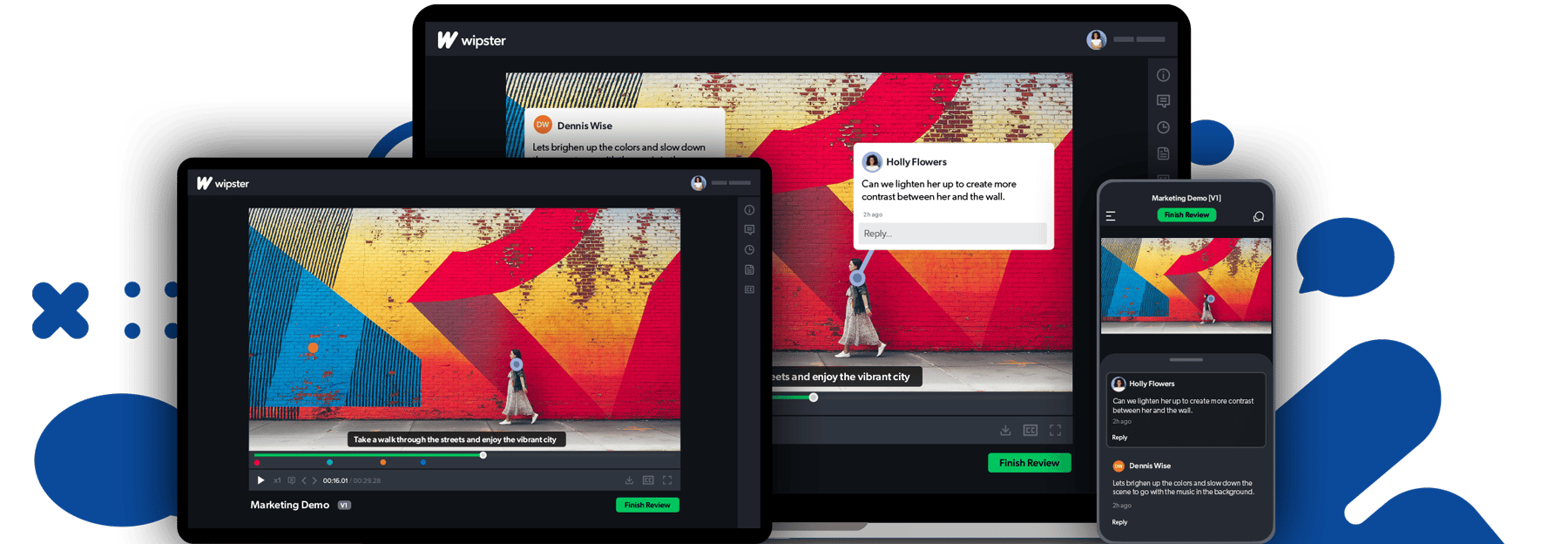
Frame-accurate commenting
Reviewers click directly on the frame they want to comment on. Feedback is pinned to an exact timecode, precise and actionable. Comments become tasks, and you no longer need to dig through emails and text threads.
Stop chasing feedback over email. Wipster gives your team — and your clients — one place to review, comment, and approve video. Frame-accurate. Frictionless. Fast. Cut review times in half today.
Trusted by creative and video teams at Amazon, AON, and 1000s of agencies, universities and enterprises worldwide.

"Which version are you looking at?"
"Did the client approve the final cut?"
"Can you forward that email thread with the feedback?"
"v4_FINAL_REVISED_ACTUALLYFINAL.mp4"
There's a better way. Wipster replaces the chaos of email-based review with a single, structured proofing workspace — so your team spends less time project-managing feedback and more time making great work.
"Wipster has made communication about edits throughout different versions of videos quick and simple. With Wipster handling the versioning of our projects, the review process is so much more user-friendly" -Bill Kiley, Sr. Creative Manager, Lull Mattresses

"Before Wipster, reviewing and approving video content used to be a string of horrible email correspondence" -Biff Davis, Manager Video Production, University of Oklahoma

"The [Wipster] platform has helped streamline our editorial review process - our digital video producers now spend around five hours less per video. That time used to go towards uploading videos to multiple sharing sites, and using Google Docs to compile and share feedback with editors, but now we can focus on what really matters - the content itself!"-Annelise Wunderlich, Executive Producer, KQED

Get your first project into review in less than 10 minutes. No credit card required.







© 2026 Wipster